How to Encrypt Kubernetes Secrets? The Simple Way with KubeKanvas
Kubernetes Secrets are just base64-encoded. KubeKanvas brings real encryption to your cluster — simple, intuitive, and zero-trust by design.

Shamaila Mahmood
March 30, 2026





If you've worked with Kubernetes long enough, you've probably created a Secret.
But here's something surprising: if someone can access your cluster API, they can read your secrets in seconds.
Try it yourself:
kubectl get secret my-secret -o jsonpath='{.data.password}' | base64 --decode
If RBAC allows access, that command instantly prints the plaintext password.
Kubernetes Secrets are base64-encoded by default - not encrypted
Kubernetes Secrets store data as base64-encoded strings for a simple, practical reason: Kubernetes needs a way to safely embed binary data (like TLS certificates, SSH keys, or Docker config JSON) into YAML manifests and transmit them over its API.
Base64 encoding ensures that arbitrary binary content doesn't break YAML parsing or API serialization. That's it. It was never meant to be a security boundary - it's a transport encoding, like putting a letter in an envelope that anyone can open.
Trivially easy. One command:
echo "cGFzc3dvcmQxMjM=" | base64 --decode
That's it. No key required. No authentication. No ceremony.
If someone has access to your cluster - or worse, access to the Git repository where your YAML manifests are stored - every single secret is effectively plain text. A database password, an API token, a private key: all one pipe away from being exposed.
And this isn't a theoretical risk. In practice:
The Kubernetes documentation itself acknowledges this. Secrets are "not secret" unless you take additional steps.
Yes - Kubernetes can encrypt Secrets at rest in etcd using an encryption configuration or external KMS provider.
However:
So while Kubernetes offers building blocks, teams often still need additional tooling and workflows to manage secrets safely.
The industry's answer to this problem has been external secret management tools. And they're excellent - but they come with real tradeoffs.
Vault is the gold standard for secret management. It supports dynamic secrets, fine-grained access policies, audit logging, and automatic rotation. It's incredibly powerful.
It's also incredibly complex. Running Vault in production means:
For large enterprises with dedicated platform teams, this is manageable. For a team of five trying to ship features? It's a mountain.
These are easier to operate since the cloud provider manages the infrastructure. But they still require:
And the fundamental workflow remains: you manage secrets in one system and figure out how to get them into Kubernetes in another.
Tools like Bitnami Sealed Secrets and Mozilla SOPS let you encrypt secrets and commit them safely to Git. They're closer to what many teams need, but:
Every one of these tools solves a real problem. But they all add operational complexity, context-switching, and infrastructure overhead. What if secret management was just... built in?
At KubeKanvas, we asked a different question: What if encrypting secrets was as easy as clicking a button?
When you design your Kubernetes architecture in KubeKanvas, you work with Secrets just like any other resource - drag it onto the canvas, connect it to your workloads, and fill in the values. But when it comes to sensitive data, something special happens.
Next to every Secret value field, you'll see an Encrypt button. Click it, and your value is encrypted instantly - right there in your browser. No context-switching. No separate tool. No CLI commands to remember.
The encrypted value replaces the plaintext, and a lock icon confirms the field is secured. From that moment on, nobody - not your teammates viewing the project, not the KubeKanvas servers, not even the database - can see that value. It's ciphertext, and it stays that way until the moment of deployment.
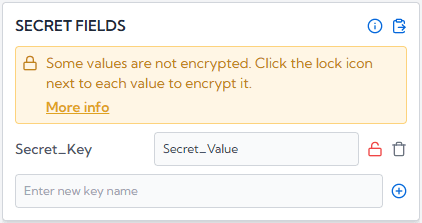
After clicking the icon, the values are encrypted and the following UI will be displayed.
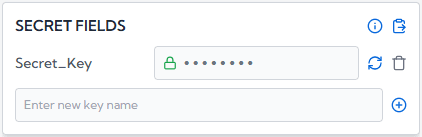
As soon as the values are encrypted, the plain text is converted into cipher text, and no one can read your secrets.
Here's what makes this fundamentally different from most platforms: KubeKanvas never has access to your secrets.
Encryption happens entirely in your browser using your organization's public key. The private key? It lives on your CLI agent - the machine that actually manages your cluster. It never leaves that machine. It's never uploaded to our servers. We couldn't decrypt your secrets even if we wanted to.
This is zero-trust in the truest sense. The server is just a messenger carrying sealed envelopes it cannot open.
Even our integrated AI assistant - which helps you design and configure resources on the canvas - never sees the real value of an encrypted secret. Once a field is encrypted, the AI receives only an [ENCRYPTED] placeholder. It can help you structure your Secret, add new fields, or connect it to a Deployment, but it can never read, suggest, or leak an encrypted value. Your secrets are invisible to every layer of the platform.
Here's the full picture of how a secret value travels through KubeKanvas, and why no one in the middle can ever read it:
The key insight: encryption happens at the very first step, in your browser, before the value ever leaves your machine. Every system between you and your cluster - the server, the database, the AI, your teammates' browsers - only ever sees ciphertext. The only place decryption happens is on the CLI agent that you control.
Real teams don't have just one person doing deployments. That's why KubeKanvas supports multiple recipients for encrypted secrets.
Team members with the appropriate access level can add themselves as encryption recipients. This means any authorized team member can deploy - not just the one person who originally generated the key. No more single points of failure. No more "only DevOps Dev can push to production."
Everyone who needs access can deploy. Everyone who doesn't, can't. It's that simple.
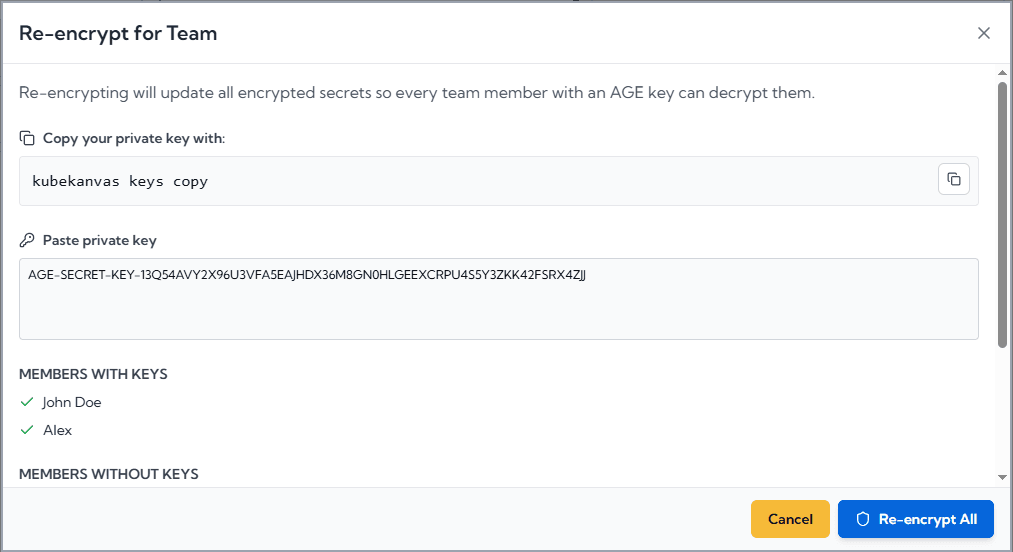
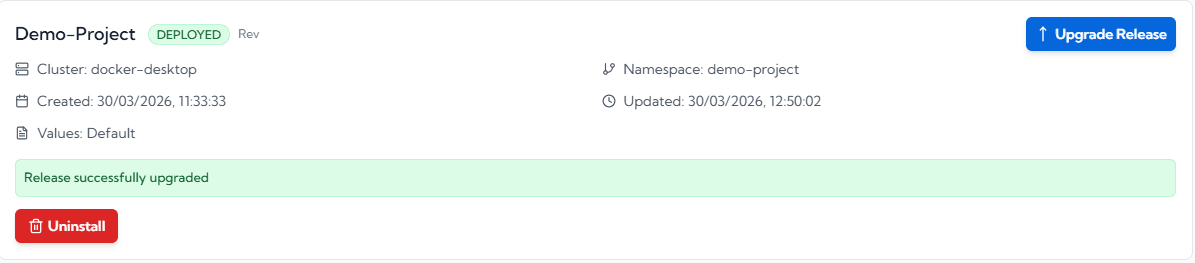
When it's time to deploy, KubeKanvas generates a Helm chart from your visual design. Encrypted values flow through the system as ciphertext - untouched and unreadable. Only when the chart reaches your CLI agent does decryption happen, in-memory, just before the Helm install executes.
The result? Real Kubernetes Secrets with real values, created on your cluster, through a pipeline where no intermediary ever saw the plaintext.
We take a firm stance here: we cannot help you recover it. And that's by design.
If KubeKanvas could recover your private key, it would mean we had access to it - and the entire security model would collapse. Your private key is yours alone.
If it's lost, you generate a new keypair and re-encrypt your secrets. It's a deliberate tradeoff: a small inconvenience in an unlikely scenario, in exchange for a guarantee that your secrets are truly yours.
Already using Vault, AWS Secrets Manager, or GCP Secret Manager? KubeKanvas doesn't force you to choose. You can enter external secret manager references directly as secret values - like vault:secret/data/myapp#password - and they'll be passed through as-is to your cluster. Use encryption for some values and external references for others, in the same Secret resource.
This is worth calling out explicitly, because it's a question every team should ask before adopting any platform tool: what happens if we want to leave?
With KubeKanvas, the answer is: almost nothing changes. KubeKanvas strictly generates and maintains standard Kubernetes YAML - the same structure, the same fields, the same content that kubectl apply expects. We don't wrap your resources in proprietary CRDs. We don't inject custom annotations that only our tooling understands. Your Deployments, Services, ConfigMaps, and Secrets are plain Kubernetes resources.
If you ever decide to move away from KubeKanvas, your encrypted secret values simply need to be replaced with the actual base64-encoded values - the same format Kubernetes natively uses. That's it. No migration tool. No conversion script. No untangling from a proprietary ecosystem.
Kubernetes Secrets have a well-known security gap. The ecosystem has responded with powerful but complex tools that require significant expertise and infrastructure to operate.
KubeKanvas takes a different path: encryption that's built into the workflow, invisible when it should be, and uncompromising where it matters.
Stop worrying about whether your secrets are actually secret. Design your infrastructure visually, encrypt with a click, and deploy with confidence.